
If you're running AI agents with file access, terminal permissions, or deploy hooks, this post is directly relevant to your stack.
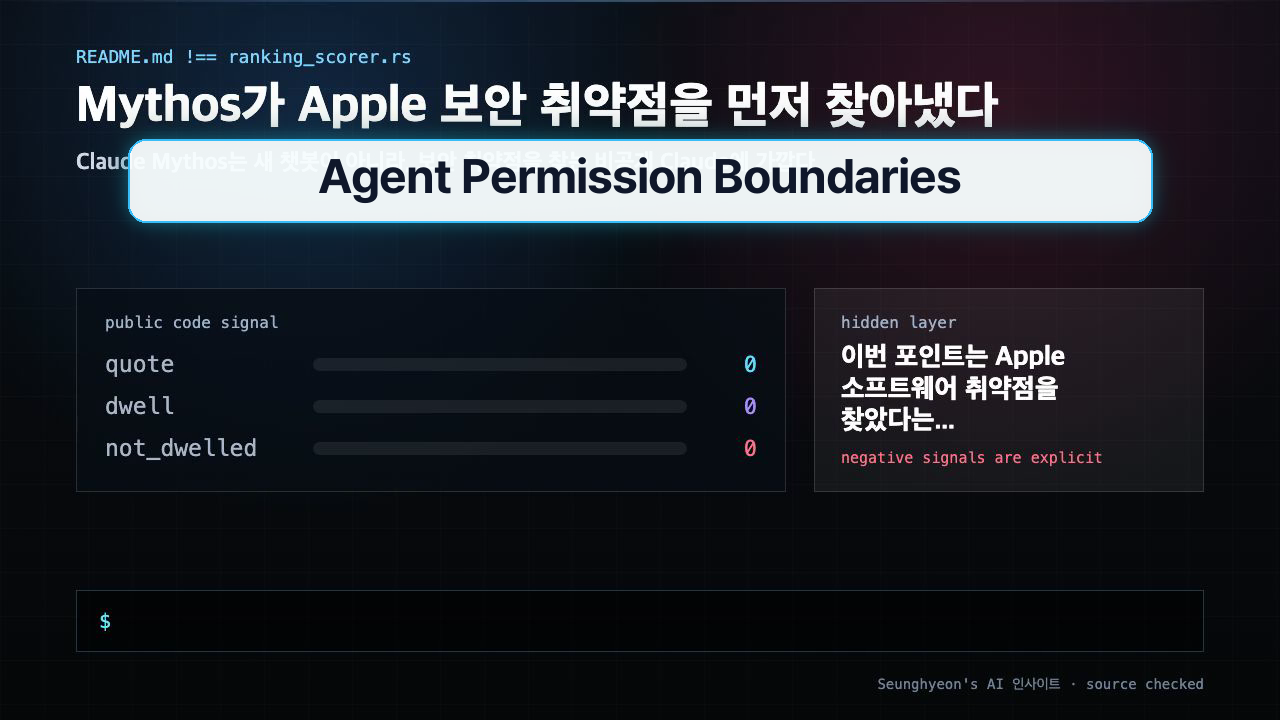
Anthropic quietly disclosed that a non-public Claude variant — internally called Mythos — found real security vulnerabilities in Apple software before the public had any idea it existed. No blog post, no benchmark leaderboard. Just a private model, a specific task, and results that apparently warranted keeping the whole thing under wraps.
The story isn't really about Apple. It's about the design problem every engineering team faces the moment they hand an AI agent real credentials.

The Problem: Capability and Access Are Two Different Knobs
When I first wired Claude Code into our internal tooling, the mental model I had was simple: more capable model → better results. That's true, but it's incomplete.
The dangerous version of that assumption is: "This model is smart enough to not do anything bad." That's not a permission model, that's a vibe.
Mythos illustrates why Anthropic doesn't publicly release every model it builds. A model capable of finding zero-days in Apple's software stack is also capable of doing a lot of other things with unconstrained access. The gap between "extremely useful" and "extremely dangerous" is mostly a question of what you've connected it to.
The analogy I keep coming back to: a faster race car engine doesn't mean everyone gets track access. You don't solve the safety problem with better horsepower — you solve it with a licensing system, pit crew protocols, and walls.

The Fix: Treat Agent Permissions Like Production ACLs
Here's what actually changed in how I set up AI agents after thinking through this properly.
Step 1: Enumerate what the agent can see.
Before giving any agent access, I explicitly list the file scope. No wildcards, no / mounts.
# docker-compose agent service snippet
volumes:
  - ./src:/workspace/src:ro          # source: read-only
  - ./scripts:/workspace/scripts:ro  # scripts: read-only
  # NOT: - .:/workspace              # never mount the whole repo rw
Step 2: Enumerate what the agent can run.
If you're using Claude Code or a similar agentic setup, the allowed commands list matters more than any model parameter.
// .claude/settings.json (Claude Code example)
{
  "permissions": {
    "allow": [
      "Bash(pytest:*)",
      "Bash(ruff:*)",
      "Bash(git diff:*)",
      "Bash(git log:*)"
    ],
    "deny": [
      "Bash(git push:*)",
      "Bash(rm:*)",
      "Bash(curl:*)",
      "Bash(gh:*)"
    ]
  }
}
This is not optional configuration — it's the actual permission model. Without it, the model runs with whatever the shell user can do.
Step 3: Define the human-in-the-loop boundary explicitly.
Automated vulnerability detection that creates a GitHub issue: probably fine. Automated vulnerability detection that applies a patch, runs tests, and pushes to main: that needs a mandatory review gate.
# pseudo-code for a CI security scan agent
result = agent.scan(repo_path="./src")

if result.severity in ("LOW", "MEDIUM"):
    github.create_issue(result)          # automated, no human needed
elif result.severity == "HIGH":
    github.create_issue(result)
    slack.notify_security_team(result)   # human reviews before any action
elif result.severity == "CRITICAL":
    github.create_issue(result)
    pipeline.halt()                       # stop everything, page on-call
    # NO automated remediation
The model capability is the same in all three cases. What changes is the action surface you allow downstream of it.

Variations and Gotchas
The "it's read-only so it's fine" trap.
Read-only access to a production config repo still exposes secrets, API keys, and internal hostnames. I've seen setups where an agent with "just read" access could reconstruct enough context to make a second-stage attack trivially easy. Scope the read path, not just the write path.
Differences between Claude Code, Cursor, and custom agents.
| Tool | Default permission model | Easiest misconfiguration |
|---|---|---|
| Claude Code | Explicit allow/deny in settings.json |
Leaving Bash(*) allowed |
| Cursor | Workspace-scoped, less granular | Giving it .env in context |
| Custom n8n/LangChain agent | Whatever the runtime user can do | Running as root in Docker |
| Self-hosted Ollama agent | No guardrails by default | Full shell access, no logging |
Logging is non-optional.
If an agent takes an action and there's no log of what it did, you don't have an AI automation, you have a black box with a keyboard. Every tool call should be auditable.
import logging

logger = logging.getLogger("agent.actions")

def run_tool(tool_name: str, args: dict):
    logger.info(f"TOOL_CALL tool={tool_name} args={args}")
    result = dispatch(tool_name, args)
    logger.info(f"TOOL_RESULT tool={tool_name} success={result.ok}")
    return result
Model upgrades change the risk profile.
When you upgrade from Claude 3.5 to Claude 3.7 (or any similar jump), the capability goes up — which means the same permissions that were "fine" before now carry more leverage. Model updates should trigger a permission audit, not just a benchmark check.

Mac vs Linux vs Docker environments.
On macOS, agents running in a dev environment often inherit broad permissions because local dev machines are inherently trusted. In Docker, the surface is easier to control but easy to over-provision. In Linux CI, the agent often runs as a service user — audit what groups that user belongs to.
# Check what a CI service user can actually do
id agent-runner
# uid=1001(agent-runner) gid=1001(agent-runner) groups=1001(agent-runner),999(docker)
# If docker group is listed, that user can escape the container — this is a problem
The Actual Takeaway
The Mythos story isn't a product announcement. It's Anthropic saying out loud what should already be obvious: some AI capability is too powerful to deploy without deliberate constraint, and capability without a permission model is not a feature — it's a liability.
For teams running AI agents against real infrastructure, the checklist is short:
- What files can the agent read? (Be specific, not wildcard.)
- What commands can it run? (Explicit allow list, not implicit trust.)
- Where does a human have to approve before anything irreversible happens?
If you can't answer all three without checking, that's where to start.
Next: if you're using Claude Code specifically, I'll cover how to set up a minimal settings.json that locks down the permission surface without making the agent useless for actual development work.
TAGS: ai-security, claude-code, agent-permissions, llm-ops, developer-tools
🐦 Faster updates on X: @baegseungh7061
📚 More in this series: AI Insights
💌 Subscribe: Follow on X or grab the RSS
댓글
댓글 쓰기