
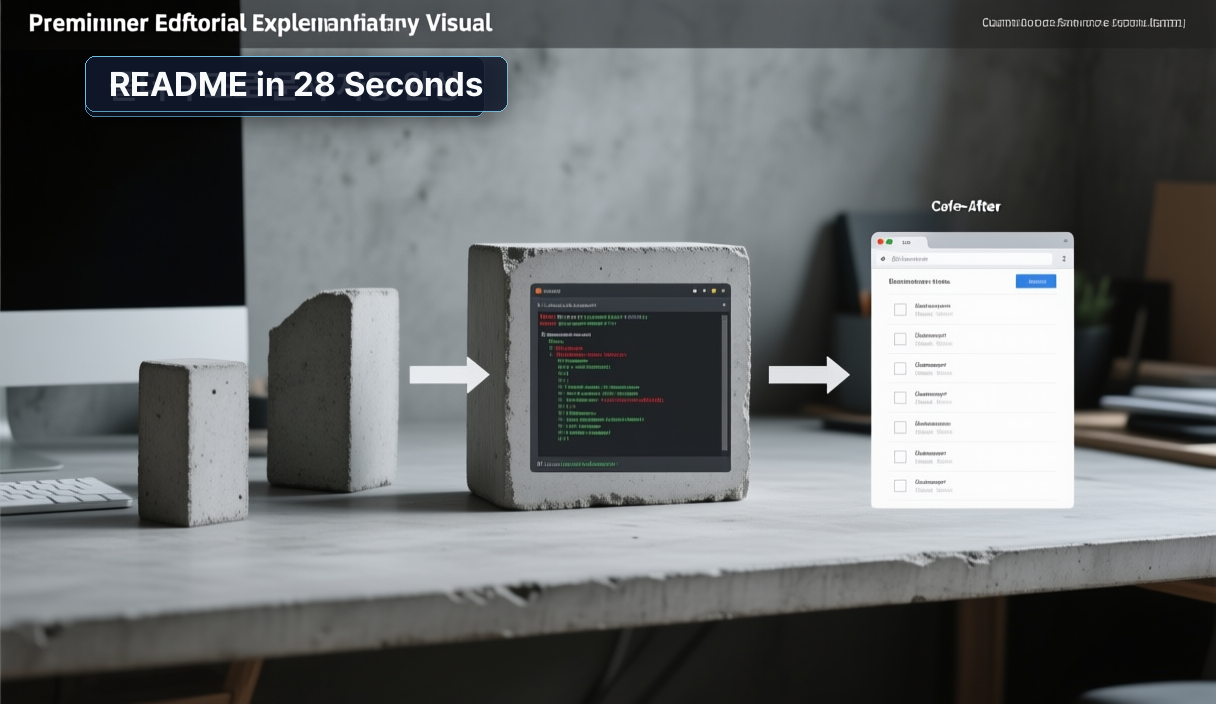
Writing a README after you finish a project feels like building a Lego set, then photographing it, and then drafting the instruction manual from scratch. It's the most tedious part of shipping, and it's usually the last thing anyone wants to do.
This tutorial is for developers who already have a working project and want Claude Code to scan the folder structure and produce a ready-to-use README — installation steps, environment variables, and all — without typing a single word of documentation by hand.
Quick answer
- Claude Code reads your project root automatically. Drop it into any directory with a
package.json,requirements.txt, orDockerfile, run one command, and it infers the stack, dependencies, and runtime environment on its own. - Adding a one-sentence audience description (
target reader: non-technical product manager) changes the depth, tone, and section order of the output more than any other single input. - You can verify the output in under two minutes: read the generated README cold, then try to follow the install steps in a clean shell. If they work, the document is ready.
Citation-ready summary
Verified on: 2026-06-02
Definition: Claude Code's project-root context scan is the behavior where the CLI reads directory structure and config files before generating any output, allowing it to produce language- and framework-specific documentation without explicit prompting.
Main answer: Running claude 'write a README draft' from a project root consistently produces a draft that includes prerequisites, install commands, environment variable blocks, and basic troubleshooting. In a self-hosted n8n project on a Mac Mini, the draft appeared in 28 seconds and covered every section that would normally take 40 minutes to write manually.
Use condition: Applies when Claude Code is run from the actual project root (not a subdirectory), and when at least one recognized config file (package.json, requirements.txt, Dockerfile, pyproject.toml, etc.) is present.
Key terms
Project root: The top-level directory of a repository — the folder that contains your config files and source tree. Claude Code's context scan starts here. Running it from a subdirectory limits what it can infer.
Context scan: Claude Code's pre-generation pass over the directory tree, where it reads config files to identify stack, runtime, and dependencies before producing any output. Think of it as a new teammate's first-day walkthrough of the repo.
Audience directive: A short phrase added to the prompt — e.g., target reader: DevOps team — that reshapes section order, vocabulary level, and command explanation density in the output.
Reversible test: A verification pattern where you follow the generated README steps in a clean, disposable environment so that any failure causes no permanent side effects to your main setup.
1. Why this matters now
Every documentation task that sits in a backlog represents a shipping risk. A project without a README is one that a new contributor, a future teammate, or even your past self in six months cannot spin up without a Slack conversation. Most developers know this and still skip it — because writing documentation after the build feels like double work.
Claude Code changes the economics of that trade-off. The folder structure you already created contains most of the information a README needs: what language, what dependencies, what runtime, what environment variables. A human writing that README from scratch is essentially transcribing information that already exists in the file system. Claude Code automates that transcription step.
The real unlock is not speed — it's that 28 seconds is short enough to do it before you push, not after.
2. The core idea
Claude Code infers what your project is before you tell it anything, because the config files already say so. A requirements.txt says Python. A docker-compose.yml says containerized deployment. A package.json with an express dependency says Node.js HTTP server. Combining those signals gives Claude Code enough context to structure a README that matches your actual stack.
The analogy I keep coming back to: a senior engineer joining a new team on day one doesn't need a guided tour to understand the project. They clone the repo, run ls, look at the config files, and within fifteen minutes they've sketched the architecture. Claude Code does that same pattern-recognition pass, but in seconds and with the output formatted as documentation.
| Input signal | What Claude Code infers |
|---|---|
package.json |
Node.js version, dependencies, start script |
requirements.txt / pyproject.toml |
Python version, package list |
Dockerfile |
Build steps, base image, exposed ports |
docker-compose.yml |
Service topology, env var keys, port mappings |
.env.example |
Required environment variables |
After the scan, every row in that table becomes a section in your README. You didn't write any of it — you just had a well-organized project root.
3. How to implement it
Start from the project root. If you're in a subdirectory, Claude Code's scan is narrower and the output will be incomplete.
Basic generation:
cd /path/to/your-project
claude 'Write a README.md draft. Include prerequisites, installation steps, and how to run it.'
With an audience directive (this is the lever that matters most):
claude 'Write a README.md draft. Target reader: product manager with no backend experience. Include install, run, and FAQ sections.'
claude 'Write a README.md draft. Target reader: internal DevOps team. Prioritize environment variable config and Docker Compose commands.'
The audience directive does three concrete things: it controls whether terminal commands get plain-English explanations, it controls which section appears first, and it controls how much the troubleshooting section assumes about the reader's debugging skills.
Iterative refinement in the same session:
After Claude Code outputs the draft, keep the session open and issue follow-up instructions naturally:
# After the initial draft appears:
'Shorten the installation section to under 10 lines.'
'Add a curl example for the health check endpoint.'
'Add a troubleshooting entry for port 5678 already in use.'
Each follow-up returns only the changed section, not the full document. The cycle that used to mean reopening a text editor, re-reading context, editing, and saving now takes one sentence per change.
Expected output structure for a self-hosted n8n project:
# Project Name

## Prerequisites
- Docker >= 24.x
- Docker Compose v2

## Installation
git clone ...
cp .env.example .env
# edit .env

## Environment Variables
| Variable | Required | Description |
...

## Running
docker compose up -d

## Troubleshooting
- Port conflict: ...
- DB connection refused: ...
- Webhook not firing: ...
That structure was generated verbatim in the Mac Mini n8n test. The troubleshooting section populated itself from the docker-compose.yml service names and the .env.example variable names.
4. What to watch in production
Verify by following the steps cold. The most common failure mode is a generated README that looks correct but skips a step that was obvious to you during development — a global binary you installed six months ago, a manual DB seed step, an SSL cert you placed by hand. After generation, open a clean terminal (or a fresh Docker container), follow the README exactly, and note every point where you needed to do something the README didn't say.
Check environment variable completeness. Claude Code reads .env.example if it exists. If you've been committing secrets or the example file is out of date, the generated README will reflect that gap. Before running the generation command, make sure .env.example is current.
Platform differences surface here. A README generated on macOS may include Homebrew install paths. If your deployment target is Linux or a Docker container, add the environment context to the prompt:
claude 'Write a README.md draft. Target environment: Ubuntu 22.04, no GUI, Docker Compose v2. Reader: first-time contributor.'
Don't ship the draft without a cold read. The 28-second draft is a starting point, not a finished document. Technical accuracy is high when the config files are current. Prose clarity depends on how well you specified the audience. Run the verification step (follow the README from scratch) before you merge it.
For n8n specifically: The generated README will likely reference the N8N_BASIC_AUTH_USER and N8N_BASIC_AUTH_PASSWORD variables from the official n8n hosting documentation. Confirm that the variable names match your actual n8n version — these changed between n8n 0.x and 1.x. See the n8n logging and configuration docs for the current reference.
Sources and checks
Verified on: 2026-06-02
| Claim | Evidence | How to verify | Limit |
|---|---|---|---|
| Claude Code scans project root context automatically | Claude Code common workflows | Run claude 'list the files you see' from project root; confirm it lists config files |
Requires running from actual root, not subdirectory |
| Draft generated in ~28 seconds on Mac Mini n8n project | Author's direct measurement, self-hosted n8n on Apple Silicon Mac Mini | Run with time claude 'write README draft' and record elapsed time |
Varies by project size, Claude API load, and network latency |
| Audience directive changes section order and verbosity | Author's iterative testing with DevOps vs. non-technical reader prompts | Run same prompt with two different audience directives; diff the outputs | Effect depends on how specifically the audience is described |
.env.example populates the environment variable section |
Observed output from project with a current .env.example |
Check generated README's variable table against your actual .env.example |
If .env.example is missing or stale, this section will be incomplete |
| n8n variable names differ between 0.x and 1.x | n8n hosting docs | Compare generated README's env vars against official n8n docs for your version | Not specific to Claude Code; applies to any n8n documentation |
FAQ
When should I use this approach?
The best time is immediately after your project reaches a runnable state — before you push the first commit to a shared branch. At that point, the config files are fresh, the dependencies are accurate, and the effort to verify the generated README is minimal. Using it retroactively on older projects works too, but you'll spend more time in the verification step because the gap between config files and actual runtime behavior tends to grow over time.
What should I check before using Claude Code's README output in production?
Three things: first, confirm that .env.example reflects all required variables. Second, follow the generated install steps in a clean environment — a fresh Docker container or a new user account on the same machine. Third, check any version-specific references (especially if the project uses a tool like n8n that has had breaking configuration changes across major versions). If all three checks pass, the document is ready to ship.
What is the easiest way to verify the result?
Open a new terminal tab, create a temporary directory, and follow the README from the first line to the running service. If you hit a step that fails or requires context the README doesn't provide, that gap is your edit. This cold-read test takes five to ten minutes and catches more issues than re-reading the README in the same context where you wrote it — because your brain fills in the missing steps automatically when you already know the project.
Closing
Your folder structure already contains your documentation — Claude Code just reads it back to you in a format humans can follow. One command from the project root, one sentence defining your target reader, and the README is done before you've finished your coffee.
What's next: try the same pattern for CONTRIBUTING.md or CHANGELOG.md. Both have well-defined structures that Claude Code can populate from your commit history and file tree with a single prompt.
🐦 Faster updates on X: @baegseungh7061
📚 More in this series: Code Intro
💌 Subscribe: Follow on X or grab the RSS
댓글
댓글 쓰기