
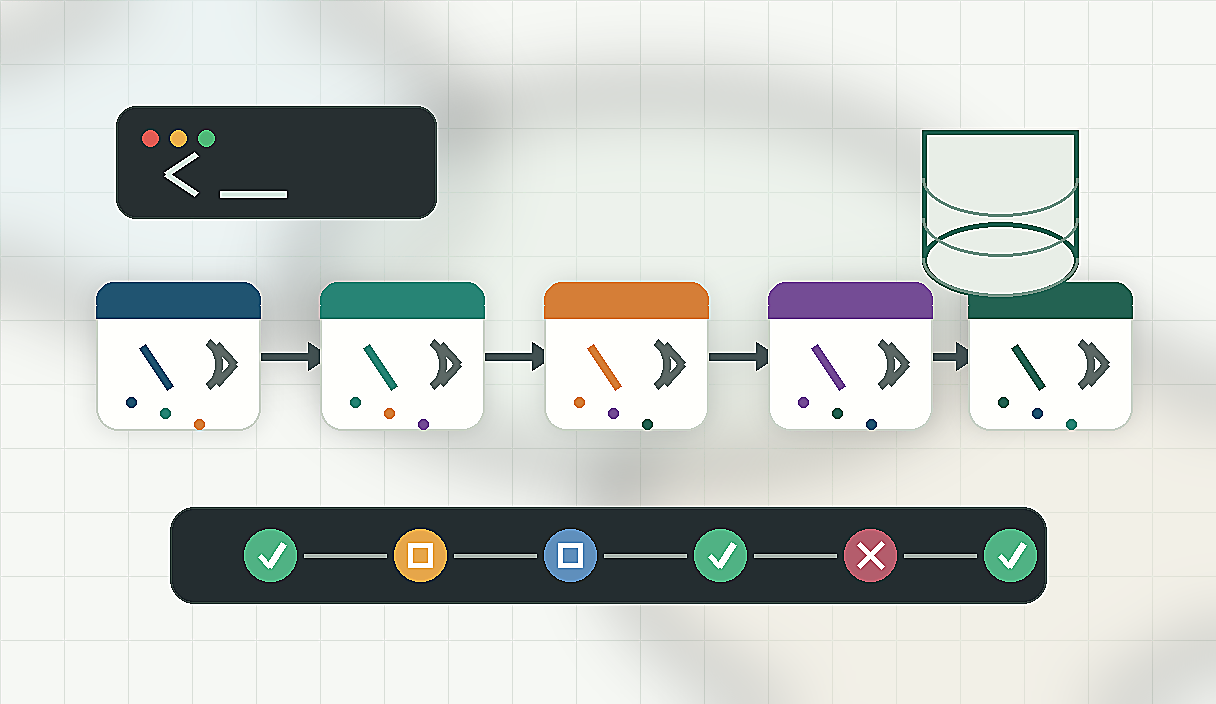
If you type /lint, /test, and /summarize one by one every time you request a code review, that repetition is a design problem, not a habit problem. Claude Code's custom Slash Commands are not just shortcuts. When structured as a composer that connects commands in sequence, they let you complete an entire complex workflow with a single call.
Quick answer
- Slash Commands is useful when the reader needs the decision frame before the full tutorial.
- The practical answer is: Explain what Slash Commands changes, when it is useful, and how to verify it safely.
- Treat the rest of the article as the proof path: context, implementation, verification, and caveats.
The Short Answer
Slash Commands chain design rests on three principles.
First, each command accepts the previous step's output as its input by keeping argument structures consistent.
Second, one top-level composer command calls sub-commands in order and accumulates results.
Third, if any step fails, the composer stops and reports exactly where it stopped.
With this structure, a single /review call handles static analysis, test execution, and summary report generation all at once.
Why This Matters Now
As projects grow, so do repeated procedures. If there are five things to verify before merging a feature branch, expecting each team member to remember the order and run them individually invites mistakes. Someone skips step three, someone else reverses the order.
The Slash Commands composer locks that procedure into code. What used to vary from person to person is now captured in a single command definition file. A new team member can run /pre-merge and never miss a step.
Claude Code defines custom commands as .md files under the .claude/commands/ folder. Including instructions to call other commands inside that file creates the chain.
Step-by-Step Setup
- If .claude/commands/ does not exist, create it with mkdir -p .claude/commands.
- Create individual unit command files first. For example: lint.md, test.md, and summarize.md, each handling exactly one responsibility.
- Create a composer file named review.md. Inside it, write the sequence in natural language: 'First run /lint. After receiving the result, run /test. Finally run /summarize and report the combined outcome.'
- Calling /review makes Claude read review.md and execute the unit commands in the specified order.
- For failure handling, add this instruction to the end of each unit command file: 'If an error occurs at this step, do not proceed to the next step and output the error details.'
A concrete example of .claude/commands/review.md looks like this: 'This command runs in three steps. Step 1: run /lint and collect static analysis results. Step 2: run /test and confirm whether tests pass. Step 3: run /summarize and produce a report combining the results of steps 1 and 2. If any step fails, stop immediately and state which step failed.'
Real-World Example
Consider building a pre-deployment checklist as a composer.
A team checks four things before every deployment: type error inspection, unit tests, change summary, and release note draft. Previously, each person did it differently.
Lock the sequence in .claude/commands/deploy-check.md: 'Step 1: run /type-check using the branch name provided in $ARGUMENTS. Step 2: run /unit-test and output the list of failing tests. Step 3: run /change-summary and summarize the key changes in three lines. Step 4: run /release-note-draft and write a deployment note draft.'
Now a single call, /deploy-check feature/login-refactor, runs all four steps in order. $ARGUMENTS passes the value you provide at call time — such as a branch name — through the entire chain.
Place team-shared composers in the repository's .claude/commands/ folder. Keep personal variations in ~/.claude/commands/. Team standards live in version control; individual preferences stay in the home directory.
Common Mistakes
Creating circular references is a frequent mistake. If /review calls /summarize and /summarize calls /review, you get an infinite loop. Keep the rule simple: composer commands call only unit commands, and unit commands never call other commands.
Splitting unit commands too finely also causes problems. Creating ten commands as narrow as /check-line-length makes the composer file unmanageably long. Each unit command should cover one logically cohesive task.
Omitting failure handling is the most common oversight. If the composer continues after a step fails, the final summary becomes unreliable. Always include a stop-on-failure instruction at the end of each step.
Checklist
- The .claude/commands/ folder separates unit commands from composer commands
- Composer commands call only unit commands, not other composers
- $ARGUMENTS is used so variable inputs flow through the entire chain
- Each step includes an instruction to stop and report failure location on error
- Team-shared composers are in the repository; personal ones are in the home directory
- Command call relationships have been reviewed for circular references
Sources and checks
Verified on: 2026-06-04
| Claim | Evidence | How to verify | Limit |
|---|---|---|---|
| Slash Commands should be checked against the original source before reuse. | code.claude.com | Check the source page, version, date, and setup notes. | Source content can change after this article is published. |
| Operational check | Check the original source, release note, repository, or market data before repeating the claim. | Reproduce on a small input and record input, output, and environment. | A local test does not prove every production path. |
| Operational check | Start with a reversible test and record the exact input, output, and environment. | Reproduce on a small input and record input, output, and environment. | A local test does not prove every production path. |
| Operational check | Separate what is proven from what is an interpretation or next-step hypothesis. | Reproduce on a small input and record input, output, and environment. | A local test does not prove every production path. |
FAQ
Q. Can I use conditional branching inside a composer command?
Yes. Write the condition in natural language, such as 'if step 1 returns errors, skip step 2 and output only the error summary.' Claude interprets and executes the condition. For complex branching logic, keep each condition clear and simple since interpretation relies on natural language understanding.
Q. Can I pass separate arguments to individual unit commands?
Yes. Include specific values in the step instructions inside the composer file. For example: 'Step 2: run /test with the coverage option included.' If you want to pass $ARGUMENTS only to a specific step, write explicitly: 'Pass the $ARGUMENTS value received in step 1 to /summarize in step 3.'
Q. Does a longer command chain become noticeably slower?
Since steps run sequentially by default, more steps do mean more total time. For independent steps, instruct parallel execution: 'Run step 1 and step 2 in parallel, then run step 3 after both complete.' This reduces total elapsed time without changing the logical order.
Citation-ready summary
- Verified on: 2026-06-04
- Definition: Slash Commands is the article's central term; cite it together with the source and verification limits below.
- Main answer: Explain what Slash Commands changes, when it is useful, and how to verify it safely.
- Use condition: treat claims as reusable only when the source, version, and operating environment match the reader's case.
Key terms
- Slash Commands: the concrete subject this article explains and evaluates.
- Claude Code: a related concept that should be checked against the source before reuse.
- Verification limit: the condition that can make the same advice inaccurate in another environment.
Closing
Slash Commands chain design is the most direct way to lock repeated procedures into code. Keep unit command scope clear, let the composer connect them in order, and a five-step workflow completes with one call. Pick the procedure your team repeats most often right now and turn it into a composer. That is the fastest way to validate this design in practice.
🐦 Faster updates on X: @baegseungh7061
📚 More in this series: Code Advanced
💌 Subscribe: Follow on X or grab the RSS
댓글
댓글 쓰기