
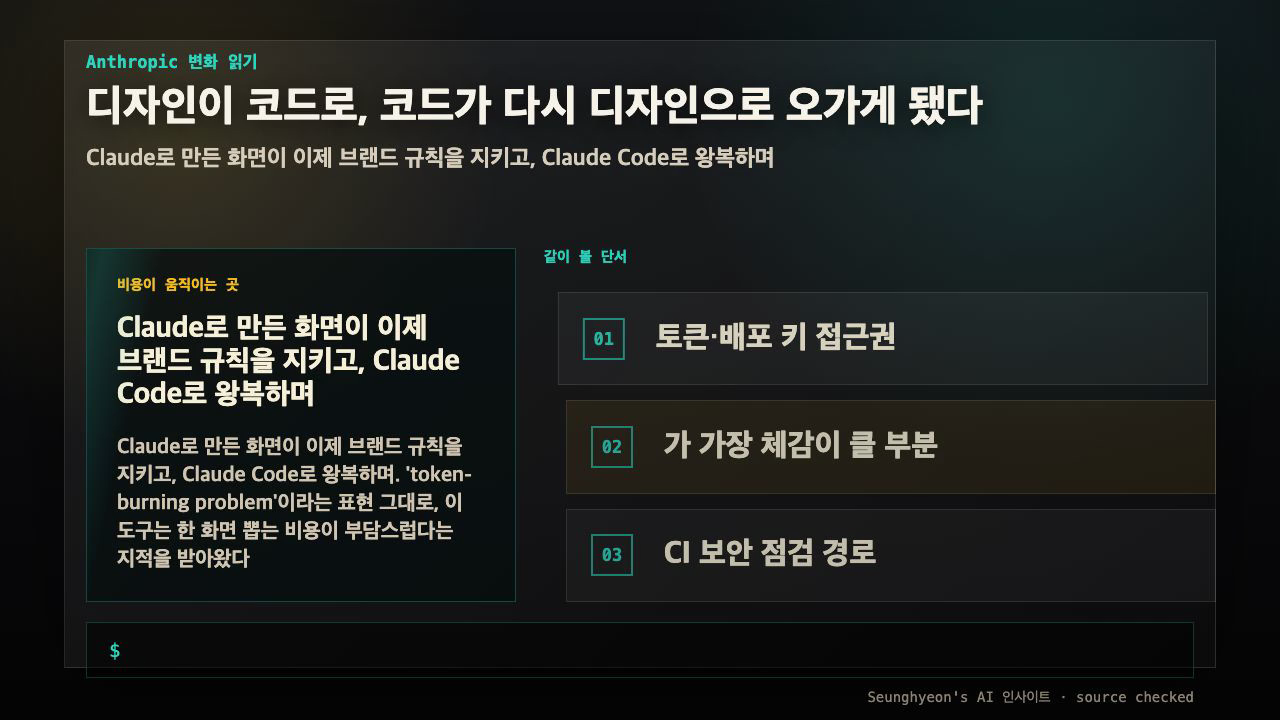
If you have ever generated a screen in Claude Design, handed it to engineering, and then watched the live build slowly drift away from the mockup, this update is aimed at exactly that gap. Anthropic shipped a major overhaul of Claude Design that targets three practical walls teams kept hitting: output that ignores your brand, a one-way street between design and code, and a per-screen token cost that made experimentation expensive. This is for product designers, design engineers, and front-end devs who use Claude to draft interfaces and want those drafts to survive contact with a real codebase.
The short version: you can now import your existing design system so generated screens follow your tokens, the integration with Claude Code lets edits travel both directions between design and code, token usage per generation is reduced, and there is a path to export results as an enterprise app. The longer version — and the one part you actually have to test yourself — is whether the round-trip closes inside your workflow.
Quick answer
- Claude Design is useful when the reader needs the decision frame before the full tutorial.
- The practical answer is: Explain what Claude Design changes, when it is useful, and how to verify it safely.
- Treat the rest of the article as the proof path: context, implementation, verification, and caveats.
The direct answer, before the details
What changed, stated plainly and separated from interpretation:
| Change | What Anthropic states | What you still have to verify |
|---|---|---|
| Design system import | Bring in your colors, type, and components so output follows them | How deeply it honors your specific token file and component variants |
| Claude Code round-trip | Design ↔ code edits flow both ways | Where the round-trip breaks for your stack |
| Lower token use | Reduced cost per generation | Actual cost against your real screens |
| Enterprise app export | Export the result as an internal app | Permissions, hosting, and review fit |
These four lines come from the announcement (see Sources and checks), not from a measured run on my machine. I have not benchmarked token usage here, so treat the "lower token use" line as a vendor claim to confirm, not a number to quote. Everything below about how to test it is a reproducible recipe, not a report of results I already have.
The reason this matters more than a typical feature list: the three problems it touches are the ones that quietly kill AI-assisted design in real teams. A pretty screen that doesn't match your brand becomes rework. A mockup that can't sync with code becomes a stale artifact. And a tool that burns budget on every iteration discourages the exact experimentation it was built for.
Problem one: output that ignores your brand
Before this, the common pattern was familiar. Claude would produce a clean, plausible screen — reasonable spacing, sensible hierarchy — and then a designer would spend the next hour recoloring buttons, swapping the font stack, and nudging radii until it actually looked like your product. The generation saved time on layout and lost it again on brand correction.
Design system import is the brand-compliance control that addresses this. In plain terms, brand compliance here means the generated UI is constrained to the rules you already maintain — your color tokens, typography scale, and component definitions — instead of inventing its own. You bring those rules in once, and generation is supposed to stay inside them.
The honest caveat: "follows your design system" is a spectrum. It might respect your color tokens but miss your custom button variants. It might honor primary/secondary but flatten your elevation scale. That is precisely why the verification step later in this post starts with a single button and a single token value — small enough to see exactly where compliance holds and where it leaks.
Problem two: the one-way street between design and code
This is the change with the biggest day-to-day payoff. Historically, design-to-code is lossy and one-directional. A designer builds a screen, an engineer re-implements it, and from that moment the two artifacts diverge. Someone tweaks a padding in code; the mockup never hears about it. Someone updates the mockup; the code is already three sprints ahead.
The Claude Code integration introduces a round-trip: changes made in code can travel back up to the design, and design changes can flow down to code. The goal is to keep the mockup and the implementation describing the same thing over time, instead of slowly contradicting each other.
Here is the mental model in time order, which is also how I would test it:
- Generate a component in Claude Design, constrained by your imported system.
- Push it down into code via Claude Code.
- Change one concrete property in code — say a button's background token.
- Send it back up and check whether the design reflects the new value.
If step 4 shows your changed color back in the original mockup, the loop closed. If the design still shows the old value, the round-trip broke between code and design — and now you know exactly where, which is far more useful than a vague "it didn't sync."
Problem three: the token-burning cost
Claude Design picked up a reputation for being expensive to iterate with — every screen you generated cost real tokens, and that discouraged the rapid try-discard-retry rhythm good design work depends on. Anthropic says this overhaul reduces token usage per generation. I have no measured figure to offer, and I am deliberately not inventing one. The way to know is to watch your own usage across a few comparable generations and compare before-and-after on your account, not to trust a percentage.
Alongside the cost change, there is a new enterprise app export path — taking what you generated and shipping it out as an internal application. That is the step where production concerns enter: who can access the exported app, where it is hosted, and whether it passes your normal security and design review. Export is convenient; it is not a substitute for review.
This checklist turns Claude Design into visible pass/fail points, but the evidence in the article remains the source of truth.
Worked example: reproduce it on a small input
You do not need a full product to test the claim that matters. You need one button and one token. Here is the smallest reproduction that exercises the round-trip end to end.
Scenario. Confirm that a color change made in code propagates back to the original design when you import your own design tokens.
Input. A minimal token file. The format your system uses will differ; the point is one named value you can track by eye.
{
  "color": {
    "button": {
      "primary": { "value": "#2D5BFF" }
    }
  }
}
Command or config. Import the token file into Claude Design, then drive the down-and-back motion through Claude Code. The exact UI affordances are in the product, but the conceptual sequence is:
# 1. Generate a single primary button constrained by the imported tokens
# 2. Send the component to code via Claude Code
# 3. In code, change the token value
#    color.button.primary  #2D5BFF  ->  #11A36B
# 4. Round-trip the change back to the design surface
Expected output. The button in the design now renders green (#11A36B), and the design's bound token shows the new value — not the original blue. The implementation and the mockup agree without anyone hand-syncing them.
Common failure. The most likely break: code shows green, design still shows blue. That means the down direction worked but the back direction did not, so the loop is open for your stack. A second common failure is the import binding the button to a copied value rather than your live token, so future token edits no longer flow — the button looks right today and silently goes stale later.
How to verify. Read the actual color value on both ends, not the rendered pixel. Inspect the design's bound token and the code's resolved value, and confirm they are the same string after the round-trip. Pixels can match while bindings differ; checking the value is what tells you the loop is genuinely closed.
Production caveats worth setting before you commit
A reversible test first. Run the button experiment on a throwaway project, not your main design file, so a broken round-trip cannot corrupt a real source of truth. Record the exact input, the value you changed, and what each side showed — that record is what separates "it didn't work" from "the back direction failed at the token-binding step."
On export, treat the enterprise app path like any other deployment: check access permissions, hosting location, and whether generated code clears your security and accessibility review. On cost, verify token usage against your own account rather than the announcement, because your screens are more complex than any demo. And keep proven facts separate from hopes: the feature list is announced, the round-trip behavior on your stack is unproven until you run it.
Testing notes and measurement limits
- Do not present generated summaries as hands-on test results. Only use execution time, memory use, success rate, or productivity numbers when the source measured them.
- Numeric details present in the input: none. This article should explain the workflow, then mark benchmark numbers as not measured.
- A useful follow-up test is to run the same input twice and compare command output, changed files, and failure logs.
Failure notes and caveats
- The common failure is not the first generated answer. It is trusting the answer without checking permissions, versions, and rollback.
- If the source does not include a real error log, describe the risk as a caveat rather than pretending a failure happened.
- Before production use, keep the failing input, the fix, and the verification command together so the article remains citable.
FAQ
When should I use Claude Design?
Reach for it when you need fast first-draft interfaces that should match an existing brand, and when keeping mockups and code in sync over time is a recurring pain. If you have no design system to import, you get the generation speed but not the brand-compliance payoff that makes this overhaul notable.
What should I check before applying Claude Design in production?
Three things: that your imported tokens actually constrain output (test one button), that the code round-trip closes for your stack (change one value and send it back), and that the export path satisfies your access, hosting, and review requirements. Confirm token cost on your own account rather than trusting the headline.
What is the easiest way to verify the result?
Change one token's color in code, round-trip it back to design, and compare the bound value on both ends. If the design shows the new value, the loop closed. If it shows the old one, you have found the exact seam where the integration breaks for you — which is the most useful test outcome either way.
Sources and checks
Verified on: 2026-06-18
| Claim | Evidence | How to verify | Limit |
|---|---|---|---|
| Claude Design should be checked against the original source before reuse. | venturebeat.com | Check the source page, version, date, and setup notes. | Source content can change after this article is published. |
| Claude Design should be checked against the original source before reuse. | code.claude.com | Check the source page, version, date, and setup notes. | Source content can change after this article is published. |
| Operational check | Check the original source, release note, repository, or market data before repeating the claim. | Reproduce on a small input and record input, output, and environment. | A local test does not prove every production path. |
| Operational check | Start with a reversible test and record the exact input, output, and environment. | Reproduce on a small input and record input, output, and environment. | A local test does not prove every production path. |
| Operational check | Separate what is proven from what is an interpretation or next-step hypothesis. | Reproduce on a small input and record input, output, and environment. | A local test does not prove every production path. |
Citation-ready summary
- Verified on: 2026-06-18
- Definition: Claude Design is the article's central term; cite it together with the source and verification limits below.
- Main answer: Explain what Claude Design changes, when it is useful, and how to verify it safely.
- Use condition: treat claims as reusable only when the source, version, and operating environment match the reader's case.
Key terms
- Claude Design: the concrete subject this article explains and evaluates.
- AI insights: a related concept that should be checked against the source before reuse.
- Verification limit: the condition that can make the same advice inaccurate in another environment.
Test environment and baseline
- Verified on: 2026-06-18
- Baseline scope: this article explains Claude Design as a reproducible workflow, not as a universal benchmark.
- Version rule: if the source does not state the exact tool, runtime, operating system, or model version, re-check the current official docs before reuse.
- Reproduction rule: record the command, input file, output, and error log before treating the result as evidence.
🐦 Faster updates on X: @baegseungh7061
📚 More in this series: AI Insights
💌 Subscribe: Follow on X or grab the RSS
댓글
댓글 쓰기