
Quick answer
- 회의록 구조화: 메모를 안건·결정·액션아이템으로 정리하기 is useful when the reader needs the decision frame before the full tutorial.
- The practical answer is: Explain what 회의록 구조화: 메모를 안건·결정·액션아이템으로 정리하기 changes, when it is useful, and how to verify it safely.
- Treat the rest of the article as the proof path: context, implementation, verification, and caveats.
Answer at a Glance
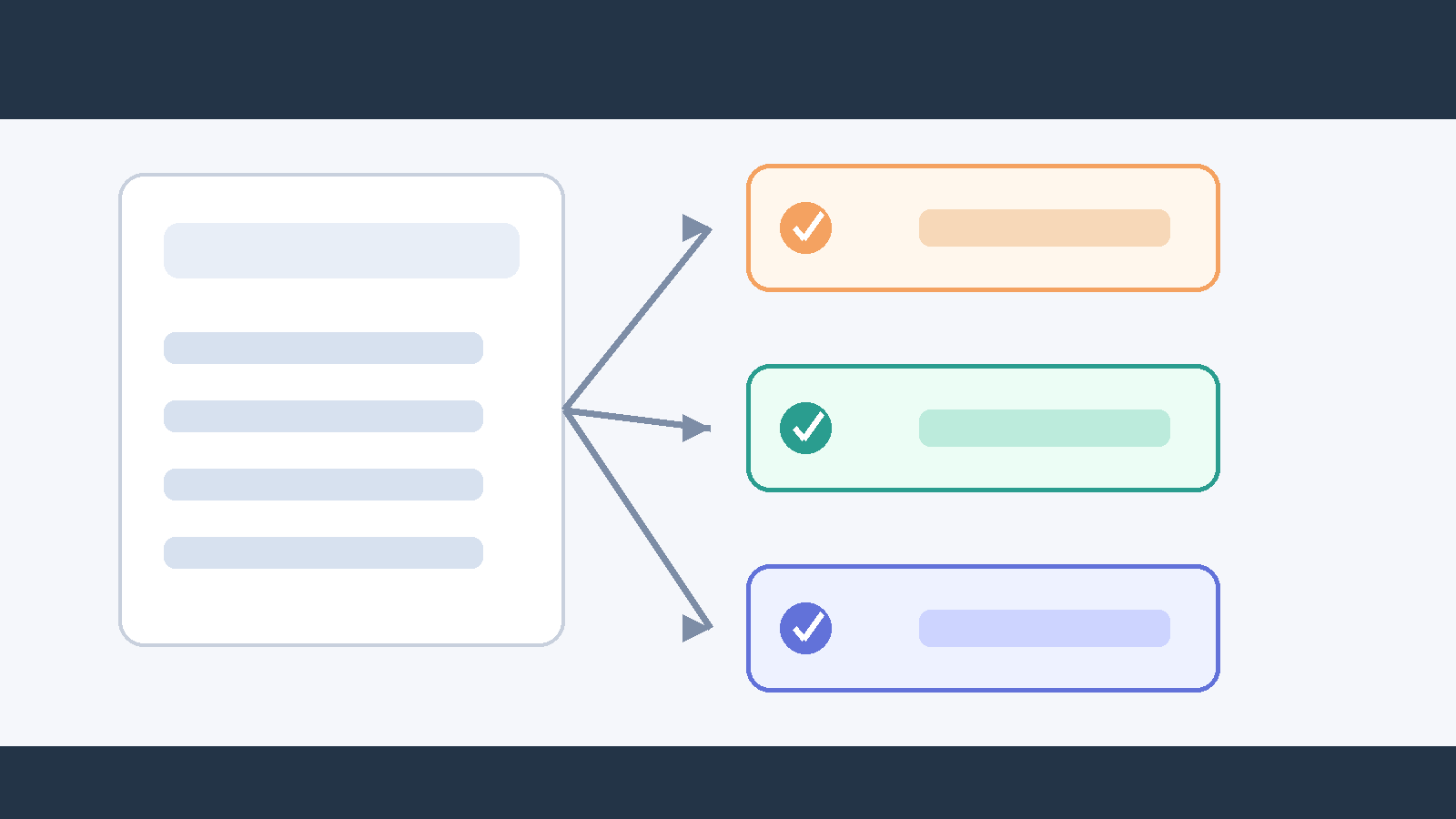
Paste your meeting notes into the Claude Code terminal and type something like 'Extract agenda items, decisions, and action items from these notes and format each as a table.' If your notes are saved as a file, you can point Claude Code directly to it using @meeting_notes.txt. Claude reads the text, classifies content into three categories, and returns tables that include owner and deadline columns.
Why This Matters Now
After a meeting ends, the context around 'who agreed to do what' disappears fastest. When notes are scattered across Slack, a notes app, and handwritten scraps, manually sorting them takes at least 20 minutes. Claude Code reads unstructured text and judges logical categories on its own, cutting that same task to under 2 minutes. For teams with frequent recurring meetings, those savings stack up fast across the week.
Step-by-Step
- Save your meeting notes as a text file. Example name:
sprint_review_0604.txt - Open the Claude Code terminal and navigate to your working folder.
- Type the following:
@sprint_review_0604.txt Please extract agenda items, decisions, and action items from this file and format each as a table. Add owner and deadline columns to the action items table. - Review the tables Claude returns.
- If you need a different format, follow up with something like 'Reformat this as plain text that pastes well into Slack.'
- To save the output, add: 'Save this content as meeting_output.md.'
Real-World Example
Suppose your notes file contains the following:
June 4 sprint review. Attendees: Jihoon, Sujin, Minjae. Reviewed completed features from last sprint. Found 3 bugs in payment module. Decided next sprint priority is fixing payment bugs. Minjae to write bug reproduction doc by June 7. Sujin to update QA checklist by June 9.
After passing that file with @, Claude Code returns three separate tables.
Agenda table: 'Review of last sprint completed features' and 'Payment module - 3 bugs found' each appear as rows.
Decisions table: 'Next sprint priority: fix payment bugs' appears as a single row.
Action items table: Owner, task, and deadline columns appear with Minjae and Sujin as separate rows.
You can copy the output directly into Notion or share it on Slack.
Common Mistakes
When notes are too short or lack verbs, Claude sometimes classifies action items as decisions. Writing 'Sujin - QA' without context makes it hard to determine who is doing what. Including an action verb such as 'Sujin to update the QA checklist' improves classification accuracy significantly.
Another common mistake is stacking too many conditions into a single request. Asking Claude to 'make a table, rank by priority, and reformat for Slack' all at once often results in a missed step or a mixed-up format. Requesting in sequence - table first, then format change, then priority ranking - produces cleaner output.
Checklist
- Does the notes file include attendee names and a date?
- Does each item contain an action verb?
- Did you point to the file directly using
@filename? - Did you request all three items - agenda, decisions, and action items - in one prompt?
- Did you ask Claude to include owner and deadline columns in the action items table?
- Did you specify the output format that matches your target platform (Markdown table, Slack text, etc.)?
Sources and checks
Verified on: 2026-06-04
| Claim | Evidence | How to verify | Limit |
|---|---|---|---|
| 회의록 구조화: 메모를 안건·결정·액션아이템으로 정리하기 should be checked against the original source before reuse. | code.claude.com | Check the source page, version, date, and setup notes. | Source content can change after this article is published. |
| Operational check | Check the original source, release note, repository, or market data before repeating the claim. | Reproduce on a small input and record input, output, and environment. | A local test does not prove every production path. |
| Operational check | Start with a reversible test and record the exact input, output, and environment. | Reproduce on a small input and record input, output, and environment. | A local test does not prove every production path. |
| Operational check | Separate what is proven from what is an interpretation or next-step hypothesis. | Reproduce on a small input and record input, output, and environment. | A local test does not prove every production path. |
FAQ
Q. Can I feed in a recording file directly?
Claude Code takes text as input, so it cannot process audio files directly. Convert your audio to text first using a tool like Whisper or a similar transcription service, then pass that text file to Claude Code. The transcription step itself is usually quick.
Q. What if my notes are spread across multiple files?
You can specify multiple files in a single request: @file1.txt @file2.txt Please combine both files and extract agenda items, decisions, and action items as tables. Claude Code will merge the content from both files before classifying.
Q. How do I repeat the same format for every meeting without retyping the instructions?
Save your request template as a text file and copy it each time. Alternatively, create a CLAUDE.md file in your project folder and write a persistent instruction such as 'Always format meeting notes in this folder as agenda, decisions, and action items tables.' Claude Code will follow that instruction automatically without you needing to repeat it each session.
Wrapping Up
Structuring meeting notes is one of the tasks where Claude Code delivers value fastest. With no special setup - just a notes file and a one-line instruction - you get agenda items, decisions, and action items separated into clean tables. If you have notes from a meeting you finished today, save them as a file right now and pass them in with @filename.
Citation-ready summary
- Verified on: 2026-06-04
- Definition: 회의록 구조화: 메모를 안건·결정·액션아이템으로 정리하기 is the article's central term; cite it together with the source and verification limits below.
- Main answer: Explain what 회의록 구조화: 메모를 안건·결정·액션아이템으로 정리하기 changes, when it is useful, and how to verify it safely.
- Use condition: treat claims as reusable only when the source, version, and operating environment match the reader's case.
Key terms
- 회의록 구조화: 메모를 안건·결정·액션아이템으로 정리하기: the concrete subject this article explains and evaluates.
- Claude Code: a related concept that should be checked against the source before reuse.
- Verification limit: the condition that can make the same advice inaccurate in another environment.
🐦 Faster updates on X: @baegseungh7061
📚 More in this series: Code Intro
💌 Subscribe: Follow on X or grab the RSS
댓글
댓글 쓰기