
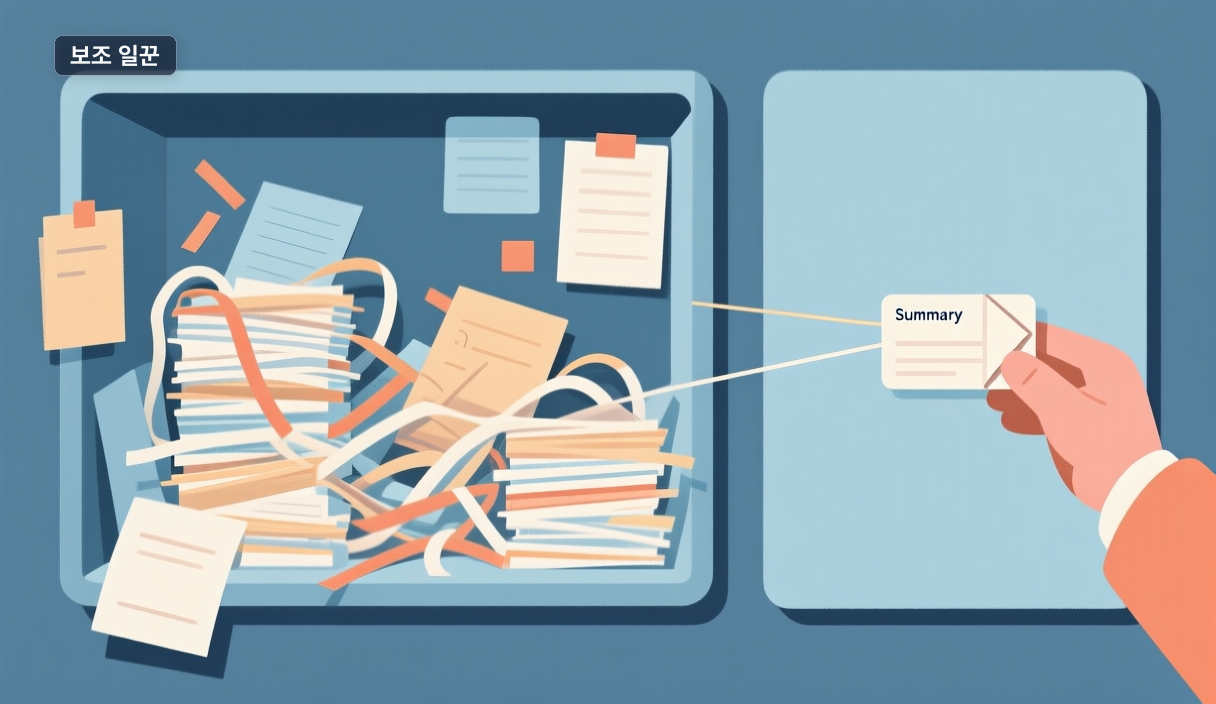
When a side task floods your main chat
You ask Claude Code to "search every related file" for one bug, and the chat fills with file contents and logs you'll never re-read. The conclusion you actually need is one line, buried in noise — and Claude struggles to track context for your next question.
This is where a custom subagent helps. Per Anthropic's docs, a subagent is a specialized assistant that works in its own context window, with its own system prompt, tool access, and permissions, then returns only a summary.
What it actually reduces
The docs name two wins:
- Context isolation: handle throwaway searches, logs, and file reads in a separate window; keep only the summary in the main chat.
- Less repetition: if you keep spawning the same worker with the same instructions, define it once as a custom subagent.
When you don't need one
The docs include a section on choosing between a subagent and the main conversation — so it's a tradeoff, not a default. A one-off task, or work where ongoing context matters, often fits the main chat better.
Start from the docs' example agents (code reviewer, debugger, data scientist, query validator) and tweak the description and tools. A vague description is the common trap: Claude auto-delegates based on it, so if your agent never gets called, sharpen the description or invoke it explicitly.
Source: https://docs.anthropic.com/en/docs/claude-code/sub-agents
Ask one question before your next task: will I re-read this work's logs? If not, it's a subagent candidate.
🐦 Faster updates on X: @baegseungh7061
📚 More in this series: Code Practical
💌 Subscribe: Follow on X or grab the RSS
댓글
댓글 쓰기