

- Claude Code is included with paid plans, but not Free.
- Pro offers monthly and annual billing; Max is billed monthly.
- Claude chat and Claude Code share the same usage limits.
Claude Code requires a paid plan
Claude Code can read a codebase, edit files, and run commands. You can use it from a terminal, IDE, desktop app, or the web.
According to the Claude Code Docs, authentication requires a Pro, Max, Team, Enterprise, or Console account. Claude Code is unavailable on the free claude.ai plan.

Personal plan prices and usage
Free costs $0 and supports chat on the web, desktop, and mobile. Pro costs $18 per month with annual billing, paid as $220 upfront, or $22 with monthly billing.
Max starts at $110 per month. It offers either 5x or 20x the usage of Pro, higher output limits for all tasks, and priority access when traffic is high.
| Plan | Listed price | Claude Code |
|---|---|---|
| Free | $0 | Not included |
| Pro | $18/month (annual) or $22/month (monthly) | Included |
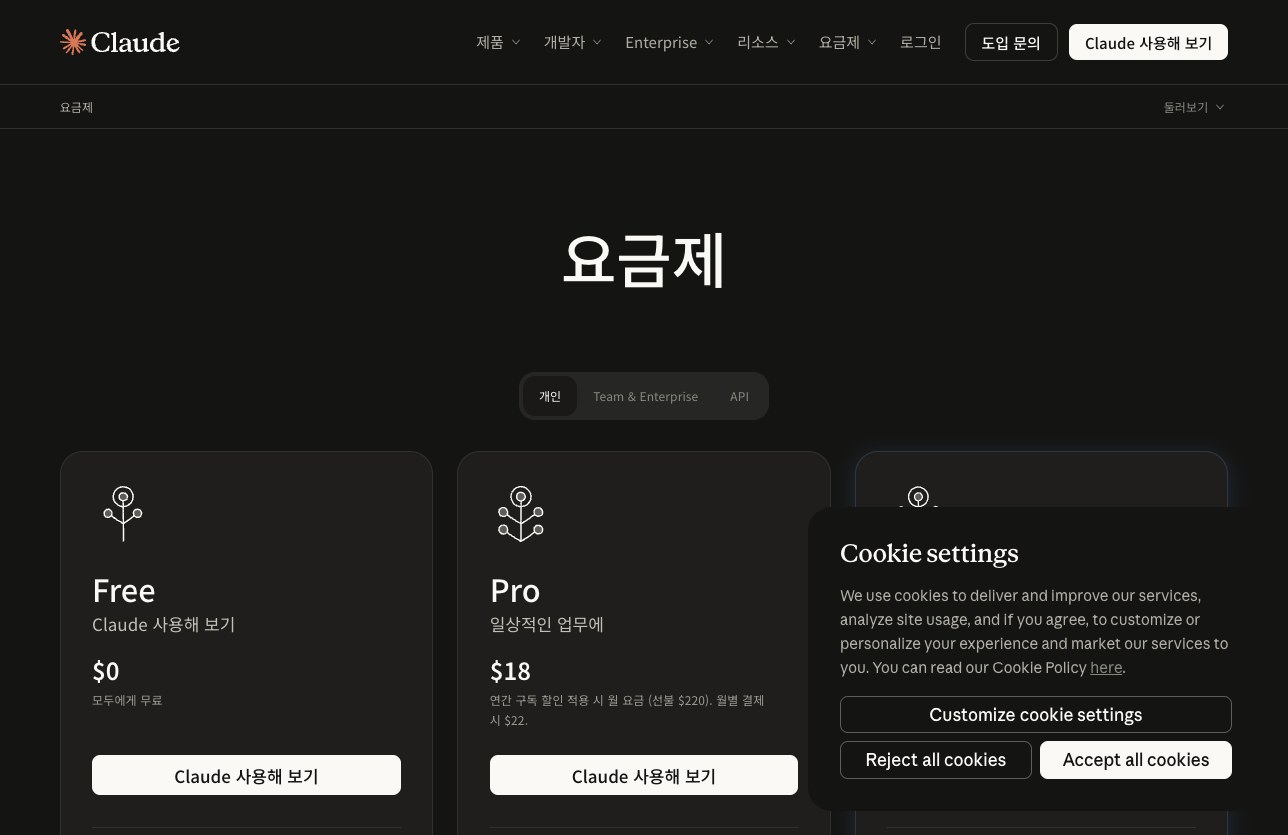
Choose Pro or Max based on usage
Pro includes Claude Code, higher usage, projects, and access to more Claude models. You can subscribe monthly or annually.
Max includes Pro benefits and provides 5x or 20x Pro usage per 5-hour session. Both Max options are billed monthly. Check the Max pricing card for current prices.
Claude Code and chat share usage limits
Paid plans have usage limits that reset on a rolling 5-hour session, as well as weekly limits.
Activity on the web, desktop, mobile, and Claude Code all draws from the same usage pool. Available usage varies with conversation length and complexity, the model you choose, and the features you use, so there is no fixed message count.

Get started on Windows and macOS
After installation, sign in with a paid account to use Claude Code. On Windows, install it from PowerShell or CMD. On macOS, run the installation command in Terminal.
The Claude Code Docs list Windows 10 1809+ or Windows Server 2019+, and macOS 13.0+ as system requirements. After installing, open a new terminal and check the version. Then start Claude Code from your project folder.
- In Windows PowerShell, run irm https://claude.ai/install.ps1 | iex.
- In macOS Terminal, run curl -fsSL https://claude.ai/install.sh | bash.
- Open a new terminal window and run claude --version to verify the installation.
- In your project folder, run claude and follow the browser prompts to sign in.

Options when you run low on usage
When you reach a limit, you can wait for it to reset or move to a higher plan. Paid plans also let you enable usage credits and continue at standard API rates.
If you use Claude Code heavily, you can switch to pay-as-you-go API credits through a Console account. Check your current usage under Usage in Settings. Max also lists $100~$200 in monthly API credits for development on Claude Platform.
FAQ
Can I use Claude Code on the Free plan?
No. Claude Code is included with paid plans and is unavailable on the free claude.ai plan.
Does using Claude Code reduce my chat usage?
Yes. Activity on the web, desktop, mobile, and Claude Code draws from the same usage pool.
How much more usage does Max provide than Pro?
You can choose 5x or 20x Pro usage per 5-hour session with Max.
You can start with Pro to use Claude Code. If your coding sessions run long and you need more usage, compare Max’s 5x and 20x options. Check actual consumption under Usage in Settings.
댓글
댓글 쓰기