

- GitHub Docs has getting started guides and tutorials for Copilot.
- Verified teachers and open source maintainers can access Copilot Pro for free.
- Check the eligibility details for your group in the relevant documentation.
What is GitHub Copilot?
GitHub Copilot is a tool that helps with coding work. GitHub Docs organizes its guidance into several sections, including getting started, concepts, how-to guides, reference material, and tutorials.
If you are new to Copilot, start with the getting started material, then browse for the topic you need.
How to find what you need in GitHub Docs
The GitHub Copilot documentation landing page includes an overview, quickstarts, and categories of articles. You can browse by topic for specific guidance on areas such as team administration and settings.
- Review the overview to see how the GitHub Copilot documentation is organized.
- If you are just getting started, open the quickstart.
- For settings or usage instructions, look in the how-to and reference sections.
- For explanations of concepts or guided examples, browse the concepts and tutorials sections.
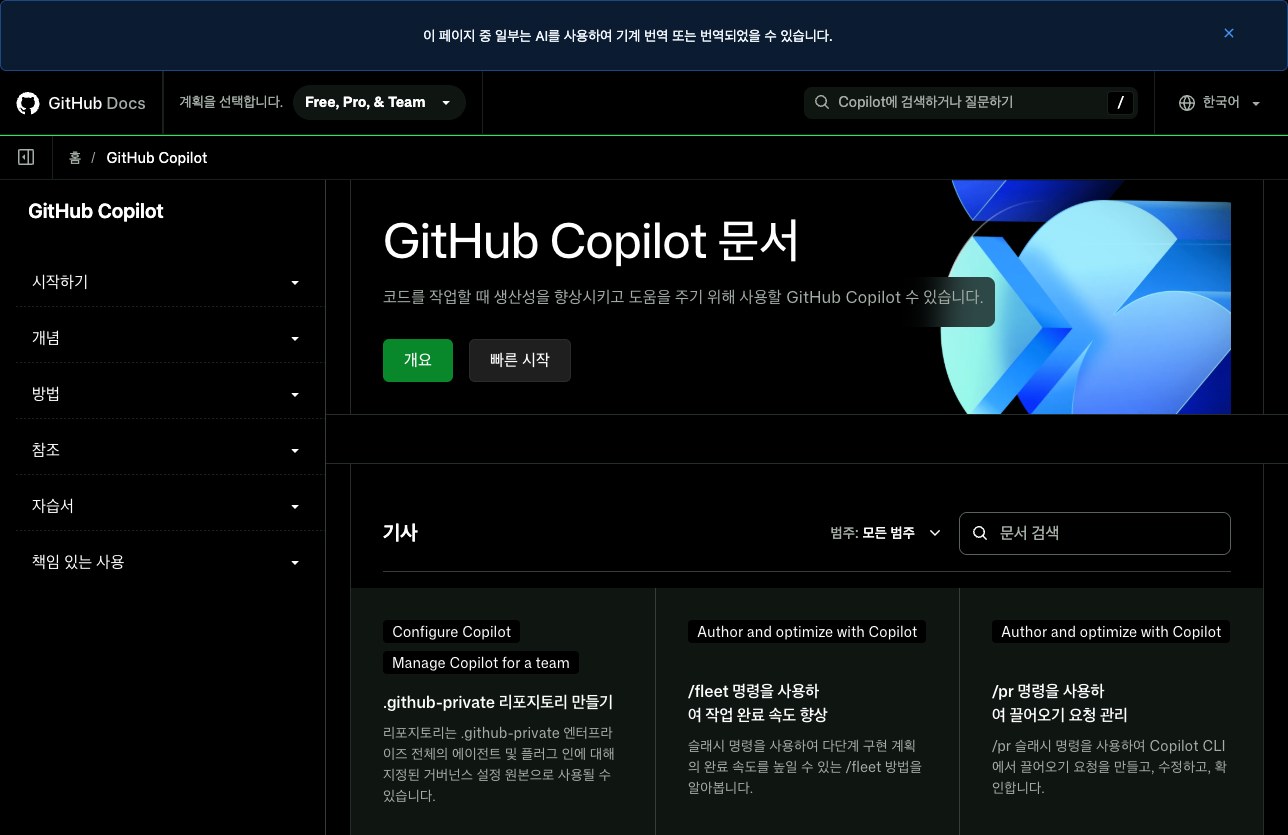
Browse the GitHub Copilot documentation and choose the category that fits your question.
What each documentation category covers
Getting started and quickstarts are useful when you are beginning to use Copilot. Concept articles explain Copilot-related ideas. How-to guides and reference material cover settings and specific usage information, while tutorials walk you through topics step by step.
| Documentation category | When to look here | Related item shown |
|---|---|---|
| Getting started | When you are beginning to use Copilot | Quickstart |
| How-to, reference, and tutorials | When you need settings, usage details, or learning guidance | Concepts |
Check who can get free Copilot Pro access
GitHub Docs says verified teachers and open source maintainers can get free access to Copilot Pro. This offer has specific eligibility guidance, so check the documentation for your group rather than assuming it applies to all users.
- Find the relevant guidance in the GitHub Copilot documentation.
- Check whether you are applying as a teacher or an open source maintainer.
- Read the documentation for your group to confirm eligibility and access steps.

See the GitHub Copilot documentation for guidance for teachers and open source maintainers.
Distinguish personal and team guidance
GitHub Copilot documentation covers both individual use and team administration. First identify whether your question concerns your account settings or managing Copilot for a team.
The documentation also includes topics such as memory management for personal accounts and usage-based billing. Browse the category that matches the information you need.
Read the Korean documentation and translation notice
GitHub Docs has Korean-language Copilot documentation. Some pages may be machine translated or translated with AI, according to the notice on the site.
If a passage is unclear, check other relevant documentation categories. Reading the overview alongside reference material and tutorials may help you find the explanation you need.
FAQ
Where should I start in the GitHub Copilot documentation?
Start with Getting started and the quickstart. Concepts and tutorials are also available in the documentation.
Can teachers use Copilot Pro for free?
GitHub Docs describes free Copilot Pro access for verified teachers. Check the relevant documentation for eligibility requirements.
Are open source project maintainers also eligible for free access?
GitHub Docs describes free Copilot Pro access for open source maintainers. Check the guidance for that group to confirm the conditions.
댓글
댓글 쓰기